This request sounds simple:
Can you remake this photo, but with a different accessory?
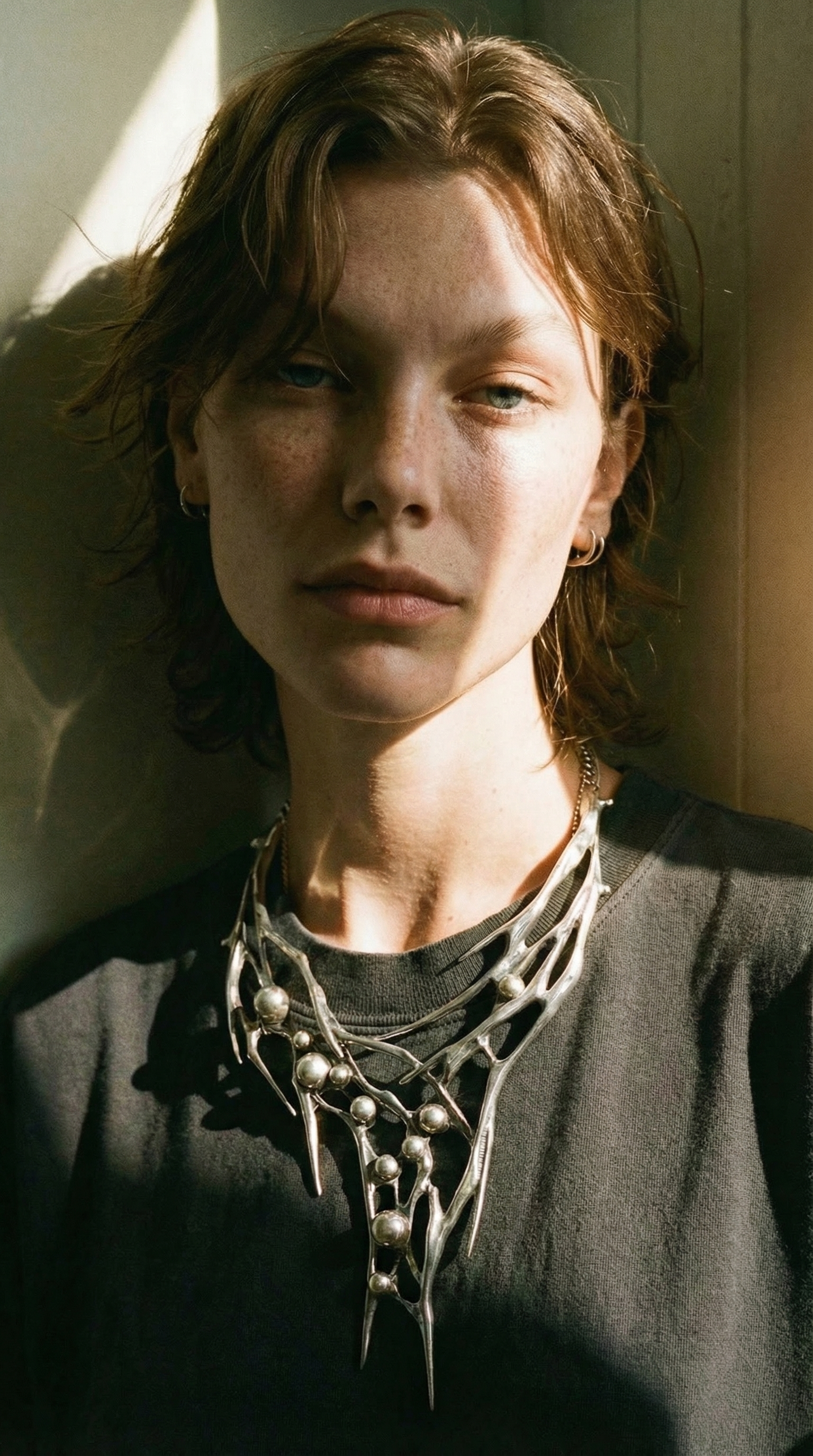
In production, it is one of the hardest ones, because it combines three constraints that AI generation loves to break. The product must stay truthful (shape, size, logos, metal finish). The model must look like the same person in the same moment (not a different face, not a different hand shape). And the lighting must remain physically consistent (same key direction, same shadow softness, same reflective cues) or the result instantly looks like a cutout pasted onto a new background.
This article is about turning that request into a repeatable process. Instead of treating it as generating another nice image, treat it as reproduction: lock the parts that must not change, then swap only the variables you actually want to change (the accessory, the background surface, the styling density). Scope: as of February 2026, focused on e-commerce and brand content teams producing on-model accessories imagery at scale.
Quick answer: reproduction works when you stop asking for “a new photo”
If you want the same scene and lighting, you are not asking for creativity. You are asking for control. The practical move is to split the job into a workflow where identity and lighting are constraints, and only the accessory changes. In a single-step generation, the model has no reason to preserve those constraints; it will trade them for plausibility. In a workflow, you can force a stable anchor, then regenerate only the failing part when drift shows up.
If you only adopt one rule: treat the reference image as a spec, not as inspiration. Your prompt should read like a remake brief, not like a mood board.
Why “remake this shot” fails (the three drift modes that matter)
Accessories photography fails differently from apparel try-on. With accessories, the product is smaller, more reflective, and more dependent on micro-cues. A ring or watch does not look believable because the pixels are sharp; it looks believable because the highlights and contact shadows behave like the object is actually in that scene.
The first drift mode is material drift. Metals, gemstones, glossy plastics, and coated surfaces rely on environmental reflections. When the background changes, reflections must change; when the background stays, reflections must stay. Single-step generation often changes both in inconsistent ways, so the metal finish looks like it switched materials.
The second drift mode is hand and pose drift. On-model accessories are usually hands-first: fingers holding a bag strap, a wrist angle showing a bracelet, a subtle head turn that keeps the accessory visible. Models often hallucinate hand anatomy under pressure, and the “same action” becomes a different action.
The third drift mode is lighting geometry drift. The key light direction might flip, shadows might detach from the object, or the light softness changes, which breaks the sense that this is a remake of the same shoot. In commercial content, these are not aesthetic nitpicks; they are the reason a set looks inconsistent across a PDP carousel.
The production workflow: lock constraints first, then swap SKUs
The workflow mindset is simple: you want a system where failure is local. If one output has the wrong highlight direction, you fix the lighting constraint stage, not the entire image. If the accessory shape drifts, you fix the product fidelity stage, not the model identity stage.
In OpenCreator, the fastest starting point is the dedicated template that is explicitly framed as scene/action/light reproduction. Use it as your baseline SOP, then tweak only the parts you need for your category.
Start here: Accessories Model Reproduction template.
What to lock (the “do not change” list that prevents expensive rework)
Reproduction becomes stable when your constraints are explicit. These are the constraints that should remain constant across a remake set, written in normal production language rather than tool-specific settings.
| What to lock | Why it matters in accessories |
|---|---|
| Product geometry and branding | Small products amplify drift; a 2% shape change is noticeable. |
| Material identity (metal type, gloss level) | Reflections and highlights define believability. |
| Key light direction + softness | This is what makes a set feel like one shoot. |
| Contact shadows and occlusion | Without them, the accessory “floats” and looks pasted. |
| Skin tone and hand anatomy cues | Accessories live close to skin; mismatches look fake fast. |
| Camera framing and focal feel | Framing drift breaks carousel consistency. |
The point is not to write a longer prompt. The point is to decide what the model is not allowed to improvise.
How to write the remake brief (without over-fragmenting your prompt)
Remake prompts work best when they read like a photographer's brief. Instead of stacking adjectives (for example: premium, editorial, cinematic), describe the scene in terms of constraints: where the key light is, what the surface is, what action is happening, and what must remain identical to the reference.
If you are reproducing an action, make it an action with a job: model holds a tote strap with the right hand so the bracelet is visible is more executable than beautiful hand pose. If you are reproducing lighting, specify its geometry: soft key from camera left, gentle fill, clean shadow edge, no hard rim. You are not trying to be poetic; you are trying to remove ambiguity.
Quality control: the two checks that catch 90% of “looks fake” outputs
Most teams try to QC by zooming in and looking for artifacts. For accessories, the faster checks are physical. First, check shadow attachment: does the accessory have believable contact and occlusion, or does it float? Second, check highlight logic: do specular highlights behave like the same material under the same key direction? If either fails, the viewer will not trust it, even if the image looks sharp.
When QC fails, the workflow advantage is that you can rerun only the stage that enforces that constraint, instead of restarting the whole generation with a different random seed.
Where this approach is not worth it (boundaries)
Reproduction workflows pay off when you need consistent sets. If you only need one hero image and you do not care about matching an existing shoot, single-step generation can be faster. If the accessory is extremely reflective and the reference scene contains complex reflections (mirror-like surfaces, city night scenes with neon), you should expect more iterations or simplify the surface to get a stable base.
If you need multi-angle consistency (front/side/back) in addition to lighting consistency, treat that as a separate layer and use an angle-control or multi-view workflow first, then apply reproduction. Trying to solve new angle + same light + same person + same product in one generation usually produces drift.
Related guides:
AI Product Angle Change (and 360 views), and AI Model Poses Ideation (build a reusable pose library).
FAQ
What’s the difference between “reproduction” and “style transfer”?
Style transfer usually copies look-and-feel. Reproduction is stricter: it aims to keep scene geometry and lighting logic consistent, so the output reads like the same shoot, not just the same vibe.
Why do accessories look “pasted on” more often than apparel?
Accessories are small and reflective. The human eye uses contact shadows and specular highlights to judge whether something is really in a scene. If those cues are inconsistent, it looks fake even if resolution is high.
How do I scale this across SKUs without creating a new workflow every time?
Standardize the constraints and swap only inputs. Keep a stable remake brief and replace the accessory input and product-specific notes. That is the difference between a demo and an SOP.
What should I fix first when results drift?
Fix lighting geometry and contact shadows first. If those are wrong, even a perfectly shaped product looks unreal. Once the scene reads as physically consistent, product fidelity fixes become much more effective.