Most AI video frustration is not about realism. It is about translation. You have a clear idea in your head, you write a prompt that feels descriptive, and the output still does not match what you meant: the camera language is ignored, the “close-up” becomes a medium shot, the product is suddenly framed like a music video, or the scene changes in ways that break the message. Teams then respond by writing longer prompts, but length is not the missing ingredient. What is missing is a shot plan that the pipeline can execute consistently.
Storyboards solve that for human crews because they are a compact representation of intent: composition, lens feel, camera movement, continuity, and which details must be shown. In AI production, a storyboard is not just a planning artifact. It becomes a control layer. It gives you a set of shots you can generate, curate, and regenerate without rewriting the entire creative direction every time.
This post explains how to use AI storyboards in a production-minded way: how to generate multi-camera shot breakdowns that are actually useful, why “one prompt = one perfect video” is unstable, and how to turn storyboards into reusable workflows.
Scope: as of February 2026, focusing on short-form brand videos, product ads, and narrative snippets where camera control and continuity matter more than one-off “cool” frames.
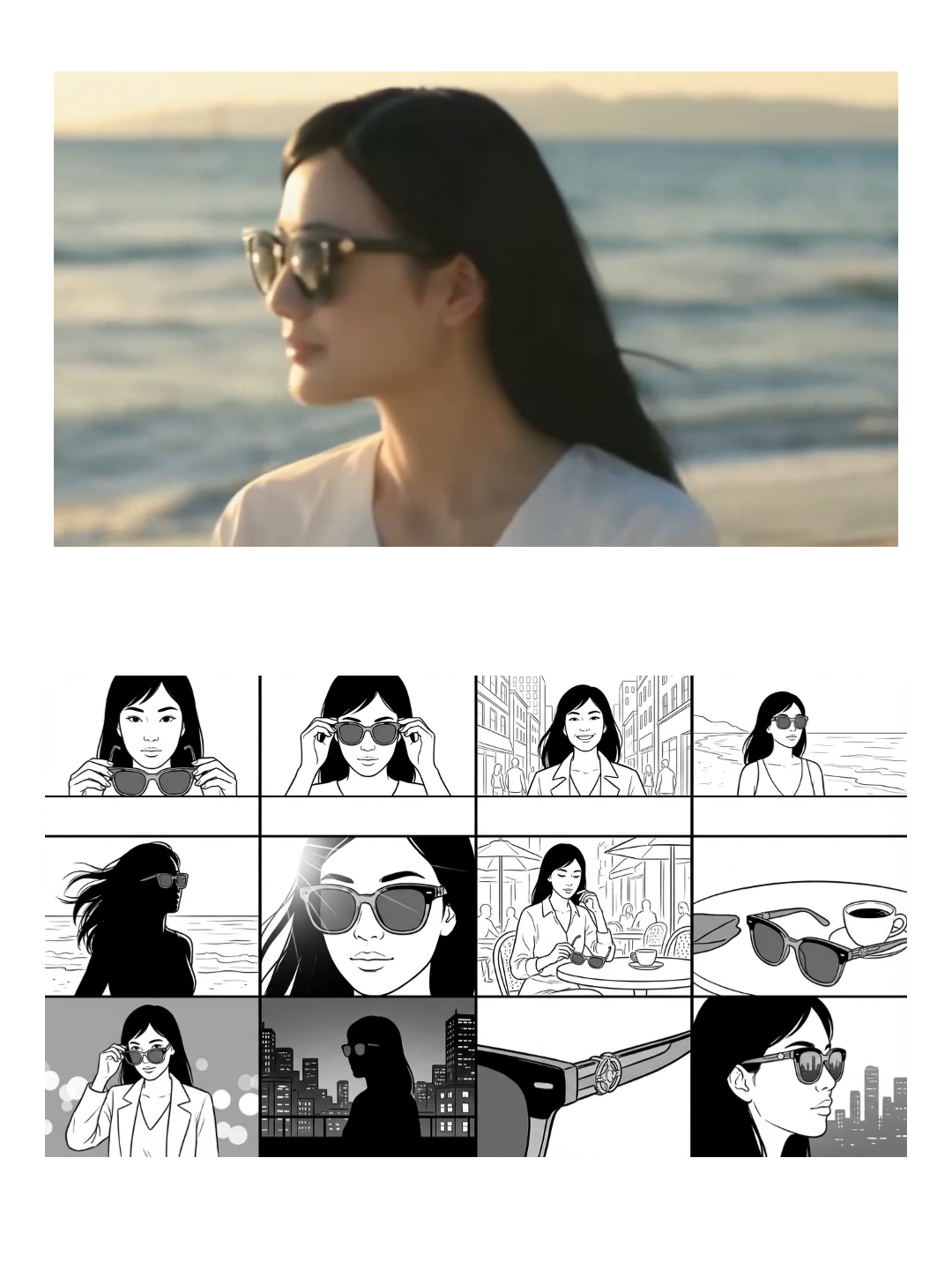
Quick Answer (The Production Pattern That Works)
If you want storyboards to translate into video reliably, do not start by generating the final clip. Start by generating the shot plan, then generate shots (or short clips) against that plan, then assemble. This is the same logic that makes real productions repeatable: you separate “what to shoot” from “how it looks,” and you treat shot selection as part of the process rather than an accident.
Once you adopt that split, a storyboard stops being a static image grid and becomes a workflow asset. Your team can reuse the same shot structure across campaigns by swapping inputs (product, persona, location brief) while keeping framing and pacing consistent.
Why Prompts Don’t Translate Into Camera Language
The common trap is to describe a scene the way a viewer would describe it. “A woman in a premium studio holding the product, cinematic lighting, close-up.” That reads well, but it is not a shot plan. In a storyboard, “close-up” is not a vibe word; it is a framing decision, with implied lens feel, subject size in frame, breathing room, and what details must be visible. If you do not make those constraints concrete somewhere in the pipeline, the model will satisfy the prompt by inventing its own camera logic, which is why outputs drift even when the subject looks good.
This is also why teams often feel that models are inconsistent. What is inconsistent is not the model; it is the control layer. When you use one prompt to specify story, styling, camera, editing rhythm, and product requirements, you are mixing variables that conflict. A storyboard is how you separate the variables.
Multi-Camera Shot Breakdowns (What They Are and Why They Matter)
A multi-camera storyboard is a shot grid that keeps the same scene and subject but changes the camera viewpoint and framing. In production, this does two things at once. First, it helps you explore which framing sells the message best without changing the story. Second, it creates a reusable shot library: you can pick a winning close-up and reuse that shot pattern across products, because you now know what “works” as a shot, not just as an image.
For brand and product videos, this matters because audience attention is decided by framing. A detail shot that clearly shows material texture can outperform a wide cinematic shot even if the wide shot is prettier, because it answers the buyer’s real question. Storyboards keep you honest about what the shot is communicating.
Templates You Can Start From (Nine-Grid, Multi-Camera, and Full Storyboards)
If you want a starting point, these templates represent three levels of control: fast shot exploration, multi-camera same-scene breakdowns, and full storyboard sequences intended to translate into video generation.
Nine-grid shot breakdowns are useful when you want a quick exploration of camera viewpoints without writing a full narrative:
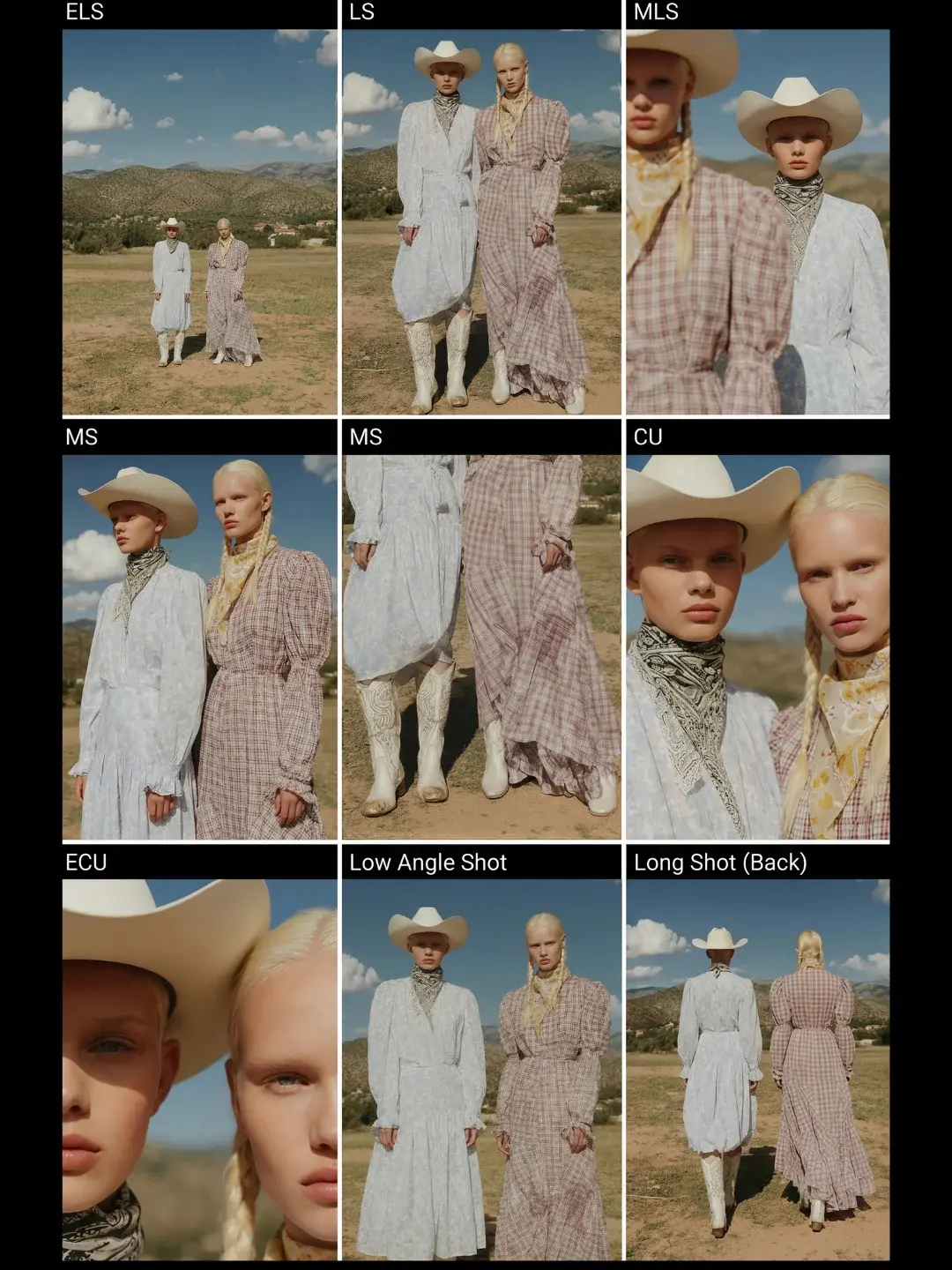
For a multi-camera grid where the same scene is preserved across angles (useful when you care about continuity and direct comparability), start with:
.jpg?imageMogr2/format/webp|imageMogr2/quality/85)
For full sequences that are designed to become a generated video (shot 1, shot 2, shot 3 with continuity), this template is the clearest example:
How to Turn a Storyboard Into Video (Without Losing Control)
The key is to treat the storyboard as the source of truth for camera and continuity, and treat the model as the renderer. Once you have a storyboard grid, you can run generation in a controlled way: either generate each panel as an image first (so you can curate composition), then turn selected panels into short clips, or generate short clips per shot and then assemble. This approach is slower than one-click generation, but it is dramatically more stable when you have a message to deliver, because failures are local. If shot 7 breaks, you regenerate shot 7 instead of restarting the whole video.
It also changes how you evaluate output quality. A “good” shot is not a pretty frame; it is a frame that supports the story beat. When you look at a storyboard grid, you can choose shots that match the beat: reveal, proof, emotion, CTA. That is a production habit that AI does not replace; it just makes it faster.
Where Storyboards Help Most (And Where They Are Overkill)
Storyboards help most when you care about continuity, camera control, or any structured narrative. That includes short-form brand films, product story ads, and any content where you need specific shots like “close-up of texture,” “hands using the product,” or “packaging reveal.” They are less critical when you are generating pure vibe content where one strong shot is enough, but even then, a quick nine-grid breakdown often saves time because it reveals which camera framing the model understands best for your subject.
If you want one rule of thumb: as soon as you find yourself rewriting prompts to beg for a specific shot, you are already doing storyboard work implicitly. Formalizing it into a storyboard grid just makes the process reusable.
Related Guides
If you are combining storyboards with model selection, these posts are relevant:
AI video models comparison 2026 explains when to switch models by goal (camera control vs realism vs stability), and Free AI video generator comparison (updated 2026) explains which tools match a real publishing rhythm.
FAQ
Is an AI storyboard the same as a storyboard for a film crew?
Conceptually yes, but in AI production it plays an extra role: it becomes a control layer that lets you generate shots independently and curate composition before you commit to the final video. That is what makes the process stable.
Why do multi-camera storyboards improve results?
Because they isolate a variable. You keep the scene and subject stable and only change camera framing. That makes it easier to compare outputs and choose a shot structure that you can reuse across campaigns.
Do I need a 12-shot storyboard for every ad?
No. Many ads only need 3–6 strong shots. The point is not shot count; it is shot clarity. A nine-grid breakdown can be enough to find the camera language that works, and then you can build a short sequence from the winning frames.